Areas to import instance

2 min read

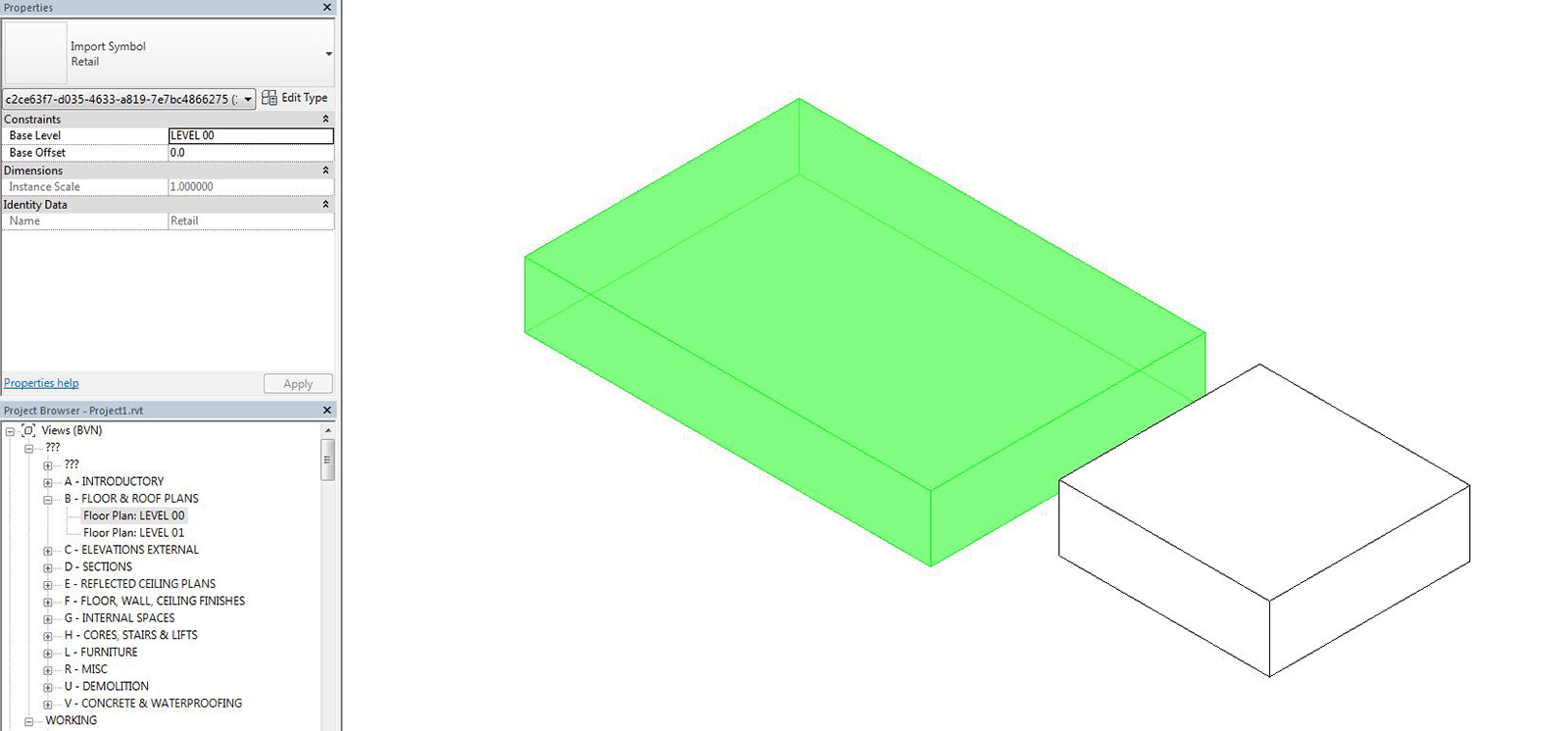
Recently I was asked if it was possible to convert areas (GBA, GFA, etc.) into masses using Dynamo. The Revit API doesn’t allow in-place masses, so the only way to do this is to use an import instance which has limited functionality. To do this, first ensure you have some areas in your Revit project. (If you want to achieve the same for rooms, refer to this tutorial).

Dynamo_Areas_1600x800

Dynamo automation

In Dynamo, you will need to download the BVN package and use the ‘Area.ImportInstance‘ node. In Revit, only ‘Spaces’ have a volume (assuming the ‘area and volume’ option is selected under area and volume computations). If we want to use ‘Areas’ (GFA, GBA, etc.), then these are by default 2D. The Area.ImportInstance node utilises the ‘LunchBox Level Element Collector’ node to extract all the levels in the project and extrudes the polycurve to the level above.
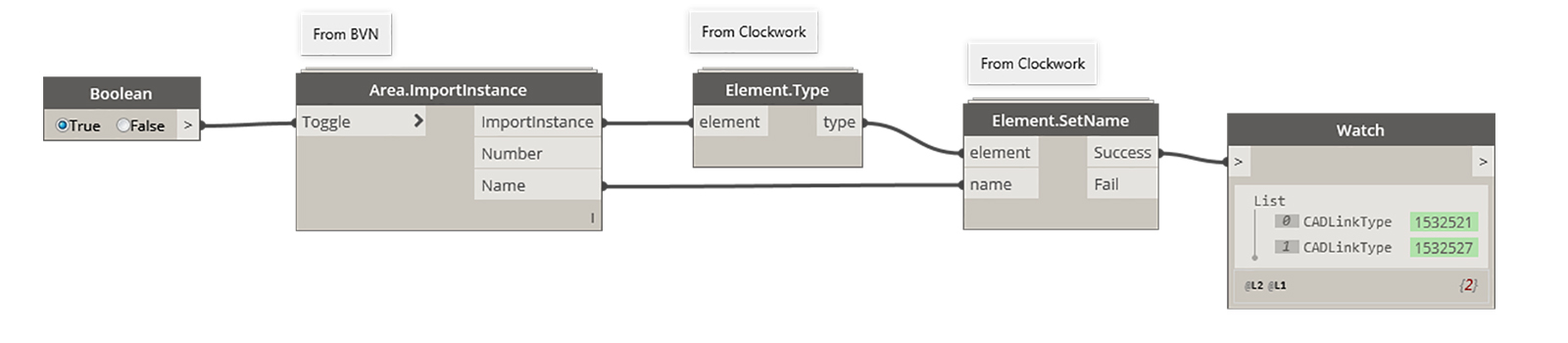
Please note that the custom node is currently set to use millimetres. Therefore, if you are using another unit, you’ll have to adjust.
Dynamo_AreasMass

Leave a Reply

This site uses Akismet to reduce spam. Learn how your comment data is processed.

Renumber Viewports
Premium

Renumber viewports

Use Dynamo to automatically renumber the detail number parameter of viewports placed on sheets, streamlining documentation.

Axonometric Crop Region
Premium

Axonometric crop region

Learn how to use Dynamo to batch update the crop region of axonometric views with a consistent buffer offset.

Create multi-category schedules
Premium

Create multi-category schedules

Learn how to use Dynamo to automate the batch creation of multi-category schedules for use in a room data sheet.

Copyright​

© 2026 Parametric Monkey
Parametric Monkey and the Parametric Monkey logo are trademarks of Parametric Monkey Pty Ltd.

Discover more from Parametric Monkey

Subscribe now to keep reading and get access to the full archive.

Continue reading

Subscribe

Gain full access to tutorials and newsletter updates.

CONTACT US

Drop us a message and someone from our team will be in touch with you shortly.

BOOM!

Thank you for your interest. Someone from our team will be in touch soon.

WORKSHOP APPLICATION

To find out about upcoming public workshops or to organise a private workshop, please submit the following contact form and we’ll be in touch soon.